AI Software Testing Guide
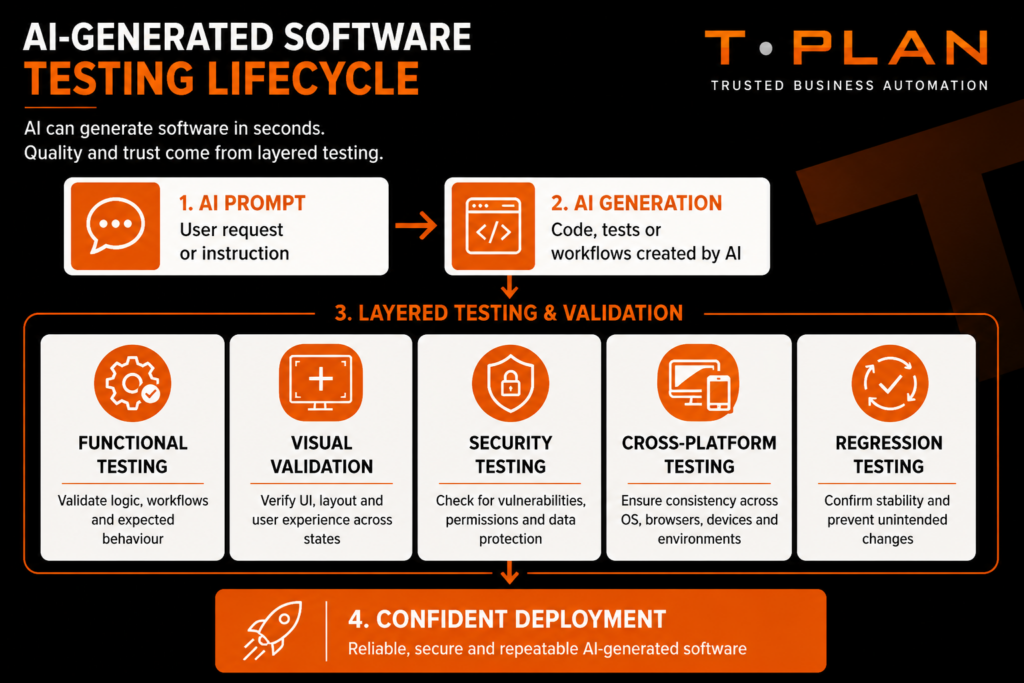
AI-generated software is changing how teams build, automate and release products. It can speed up development, reduce repetitive work and help teams move faster, but it also introduces new risks that traditional testing methods do not always catch.
The challenge is no longer just generating software quickly. The real challenge is making sure AI-generated applications are stable, secure, repeatable and reliable in real environments. That means testing has to cover more than basic function checks. It needs to include visual validation, security review, cross-platform checks and independent verification of anything AI creates.
This guide explains how to test AI-generated software effectively, what can go wrong, and how to build a testing approach that reduces risk without slowing development down.
What Is AI-Generated Software?
AI-generated software refers to applications, scripts, workflows or test cases that are partially or fully created using artificial intelligence tools.
This can include:
- AI-generated application code.
- AI-assisted test scripts.
- Low-code or no-code automation.
- AI-generated APIs or integrations.
- Automatically generated UI components.
- AI-generated regression tests.
- Prompt-driven workflows.
AI tools can be very useful for rapid development and repetitive tasks. They can generate code in seconds and help teams prototype ideas quickly. But AI-generated output is not automatically reliable, and it should never be treated as production-ready without proper review and testing.
Why AI-Generated Software Needs Different Testing
Traditional software is usually built with known architectures, explicit logic and predictable development paths. AI-generated software changes that.
AI can produce code that looks correct, but still contains hidden flaws, unstable logic or security issues. It can also generate tests that appear comprehensive while missing important edge cases.
That creates a different testing problem. Teams must validate not only whether the software works, but whether it behaves consistently across users, environments and updates.
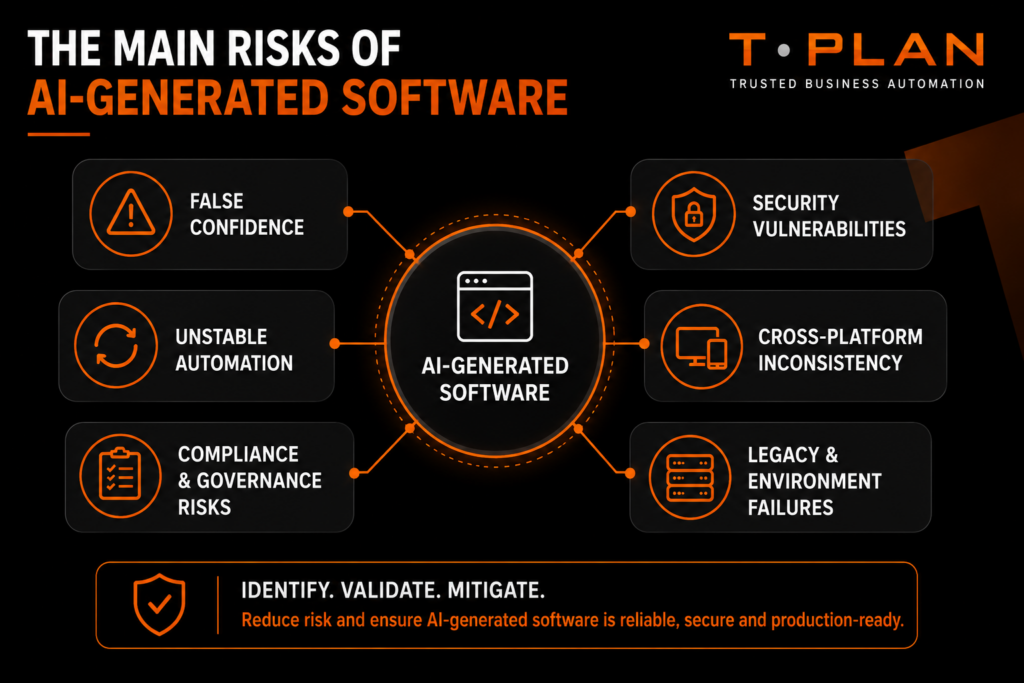
The Main Risks
False confidence
One of the biggest risks is assuming AI-generated code is correct because it looks polished. Clean structure doesn’t guarantee good logic.
AI-generated test scripts can also give a false sense of coverage if they run successfully but fail to check meaningful outcomes. That’s why human review still matters.
Poor repeatability
Repeatability is essential in testing. If a test passes once and fails the next time for no clear reason, confidence in the automation drops quickly.
AI-generated workflows can introduce unstable selectors, environment-sensitive logic and brittle automation paths. Reliable testing must reduce that variability wherever possible.
Security and compliance issues
AI-generated software can introduce insecure API calls, weak authentication handling, outdated dependencies or exposed credentials.
For regulated industries such as finance, healthcare, insurance, defence and telecoms, this is especially important. Testing must support auditability, traceability and compliance as well as functional accuracy.
Legacy and hybrid environment challenges
Many organisations still rely on desktop applications, Citrix, virtual desktops and hybrid systems. These environments can be difficult to test with object-based automation alone.
AI-generated software may perform well in a modern browser or dev environment, but fail when deployed into more complex enterprise setups. That makes real-world validation essential.
Testing Strategies That Work
Combine functional and visual validation
Functional testing checks whether the software behaves correctly at a code level. Visual validation checks whether it behaves correctly from the user’s point of view.
For AI-generated software, both matter. Visual checks can reveal broken layouts, missing elements, incorrect states and UI inconsistencies that functional tests might miss.
Use cross-platform testing early
AI-generated software may behave differently across operating systems, browsers, devices or remote environments.
Testing early across the environments that matter most helps teams catch issues before release. That is especially important when applications must run in mixed enterprise setups.
Validate AI-generated test scripts independently
AI-generated tests should never be trusted without review.
Teams should check:
- Assertions.
- Logic paths.
- Coverage quality.
- Selector stability.
- Negative test cases.
- Edge-case handling.
AI can speed up test creation, but it cannot replace engineering judgment.
Prioritise repeatability over test volume
A large test suite is not useful if it is unstable. A smaller number of reliable tests is usually much more valuable than a bigger suite full of false failures.
Focus on deterministic execution, stable design and clear validation outcomes.
Integrate security testing into automation
Security should not be a separate afterthought. It should be part of the testing workflow.
That can include:
- Dependency scanning.
- Authentication testing.
- Permission testing.
- API validation.
- Compliance checks.
- Vulnerability scanning support.
Why Visual Automation Matters
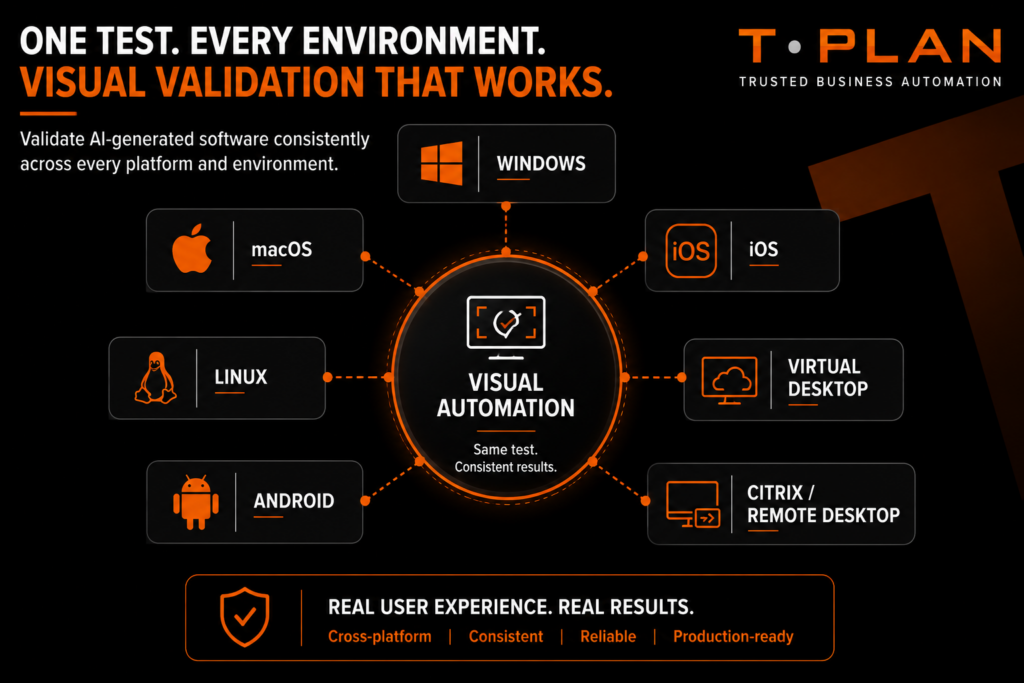
Visual automation is especially important when AI-generated systems create dynamic interfaces or when applications run in legacy and remote environments.
Object-based automation often relies on selectors and internal structure. If those change, the test can break even when the UI still looks fine. Visual automation checks what the user actually sees, which makes it a strong safety net.
This is useful for:
- Remote desktop environments.
- Citrix applications.
- Virtual desktops.
- Legacy interfaces.
- Cross-platform UI validation.
- Regression detection.
For teams working across mixed technologies, visual testing adds resilience and improves trust in the results.
Testing in Regulated Industries
Organisations in regulated sectors face extra pressure when adopting AI-assisted development. They need testing that supports both delivery speed and governance.
In these environments, testing needs to prove:
- Auditability.
- Traceability.
- Security validation.
- Compliance evidence.
- Operational reliability.
That makes repeatable, well-documented automation especially important.
Best Practices
Establish human review processes
AI-generated outputs should always be reviewed by someone who understands the logic and the risk.
Use layered testing
A strong strategy combines:
- Functional testing.
- UI testing.
- Visual validation.
- API validation.
- Security testing.
- Cross-platform checks.
Focus on real user outcomes
Testing should reflect real workflows, not just whether code executes successfully.
Monitor drift and regression
AI-generated systems can change quickly. Continuous regression testing helps teams catch issues as the software evolves.
Build stable automation foundations
Reliable frameworks, consistent environments and clear validation rules are still the foundation of good automation.
How T-Plan Helps
T-Plan helps teams validate complex software environments using visual, cross-platform automation.
It supports:
- Desktop automation.
- Remote desktop testing.
- Legacy application validation.
- Cross-platform testing.
- Visual UI verification.
- Citrix and virtual environments.
- Repeatable regression testing.
That makes it useful for organisations that need to test AI-generated software in real-world environments where stability and visibility matter.
AI Software Testing FAQs
Use a combination of functional, visual, security, performance and cross-platform testing. Independent review is essential.
They may miss edge cases, create unstable selectors or fail to validate real outcomes properly.
The main risks are security vulnerabilities, inconsistent behaviour, hidden logic errors and poor maintainability.
It helps catch layout issues, rendering problems and UI inconsistencies across environments.
Yes, but automation should be layered with review, visual validation and security checks.