
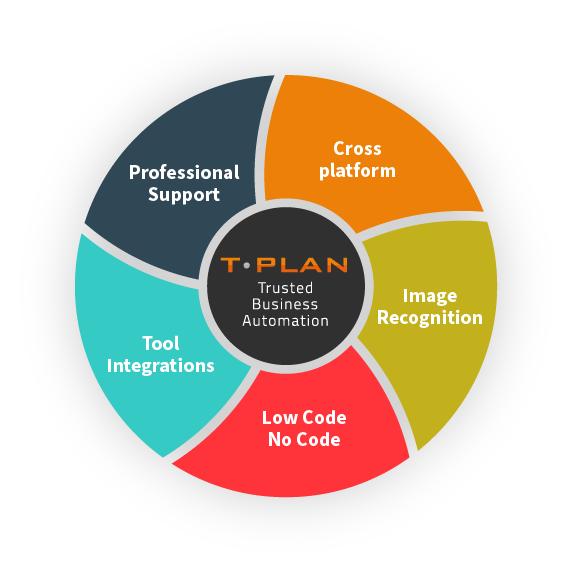
Automated GUI testing records and executes real user actions such as clicks, keystrokes and navigation steps. Image recognition and screen-level validation are then used to confirm expected outcomes. This approach, used by T-Plan, allows tests to remain stable across environments and resilient to underlying code changes.
GUI Software Testing
Automate tests visually and see exactly what your users see, in real time. Built for teams who need speed, accuracy and cross-platform coverage, without coding.
Why Choose T-Plan for GUI Automation Testing?
T-Plan provides a reliable, non-intrusive approach to GUI automation by interacting with applications exactly as a real user would. By automating at screen level, it removes the limitations of traditional object-based tools and delivers consistent results across platforms and technologies.
- True visual validation:
Verify on-screen elements exactly as they appear to end users, ensuring accurate UI behaviour. - Non-invasive automation:
Test applications without modifying code, installing plug-ins or relying on application hooks. - Cross-platform flexibility:
Run the same GUI tests across Windows, macOS, iOS, Linux and virtual environments with no rework. - Human-like execution:
Drive applications through real user interactions for end-to-end workflow validation. - Low-code and no-code support:
Enable testers and non-technical users to create and maintain automation quickly. - Ideal for legacy and modern systems:
Automate GUIs where object identifiers or APIs are unavailable or unreliable. - Flexible licensing:
Concurrent licensing with one price across platforms.
Why Automate GUI Testing?
Automating GUI testing removes the reliance on slow, repetitive manual checks and provides a consistent way to validate user interfaces as applications evolve. By testing workflows visually and repeatedly, teams gain greater confidence that changes behave as expected across releases, platforms and environments.
GUI automation is especially valuable where applications are complex, frequently updated or difficult to test at code level. It enables reliable validation at scale while maintaining a high standard of quality.
Key benefits of GUI test automation include:
- Greater efficiency, through faster test execution and reduced manual effort
- Shorter release cycles, by validating UI changes more quickly and reliably
- Improved scalability for large, complex or multi-platform applications
- Consistent quality using repeatable, predefined validation steps
- Clear test outcomes with a single, reliable view of UI test results
- Higher confidence in releases, supported by accurate and repeatable execution
What Our Customers Have To Say About Us

6 hour process now takes 10 minutes. Our virtual robots have saved time, effort money & resource .”

Reduced man hours by approximately 1 hour per day per tester. At that level, saving us 32.5 hours per week – a considerable cost saving.”
Trusted by Hundreds of Companies and Used by Thousands of People for Over 25 Years




























Why Choose T-Plan’s GUI Testing Tools
Low code
or no code
Quickly build and deploy automated tests with minimal technical expertise
Create once,
run anywhere
Build GUI tests once and execute them consistently across devices, platforms and environments.
Record and
Playback
Capture real user interactions and replay them to validate UI behaviour visually and repeatably.
External data
integration
Drive GUI tests using live or structured data from files, databases or external systems.
Screen-Level
Automation
Automate directly at the user interface to validate workflows exactly as they appear on screen.
Any device,
any OS
Automate across Windows, macOS, iOS and Linux — plus mobile and virtual environments — all from a single platform.
Image-based
user validation
Confirm UI behaviour visually to ensure applications perform as users expect.
T-Plan
AI
Speed up GUI test creation with reusable, AI-assisted automation scripts.
How GUI Testing Works with T-Plan
T-Plan performs GUI testing at the screen level, interacting directly with an application’s graphical user interface rather than relying on source code, APIs or object identifiers. Automation scripts replicate real user actions such as mouse movements, clicks, keystrokes and menu selections, allowing applications to be tested exactly as they are used in real-world scenarios.
Visual validation is achieved through image-based recognition, enabling on-screen elements to be identified and verified based on their appearance. This approach is particularly effective for legacy, proprietary and closed systems where traditional automation tools cannot access internal application structures.
Execution, Environments and Test
Re-use
GUI tests created with T-Plan run externally and remotely, meaning the system under test does not need to be modified or instrumented. Tests can be executed on physical machines, virtual machines and remote desktop environments, supporting secure and isolated testing across complex infrastructures.
Once created, automation scripts can be reused across multiple platforms and configurations. The same test logic can be executed across Windows, macOS, iOS and Linux, providing consistent, repeatable validation for multi-platform applications and long-lived systems.
Key technical capabilities include:
- Screen-level automation that mirrors real user behaviour
- Image-based recognition without reliance on APIs or code
- Remote execution in secure, isolated environments
- Reusable scripts across operating systems and deployments
- Reliable validation for legacy and closed applications
Platform Agnostic, Seamless Integration
Integration Capabilities
Integrates with a range of tools, including Selenium for script-less automated browser testing, and Jenkins for continuous integration, saving time & effort vs building and maintaining external testing frameworks.
Platform Agnostic
Automates GUI testing seamlessly across web and mobile platforms, supporting both Mac, Windows, and Linux environments with unified application, code, and file compatibility.
Image Recognition
Providing essential user feedback directly from the end-user’s perspective. Validated based on what is visually observed, not solely on the code’s output.
Code -Free Automation
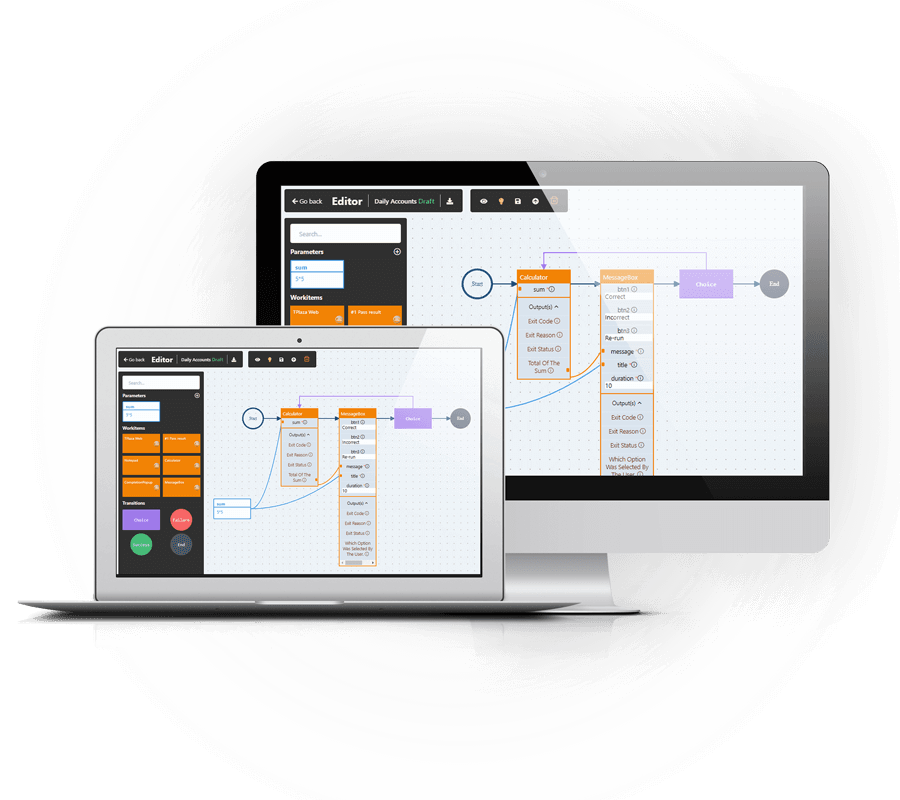
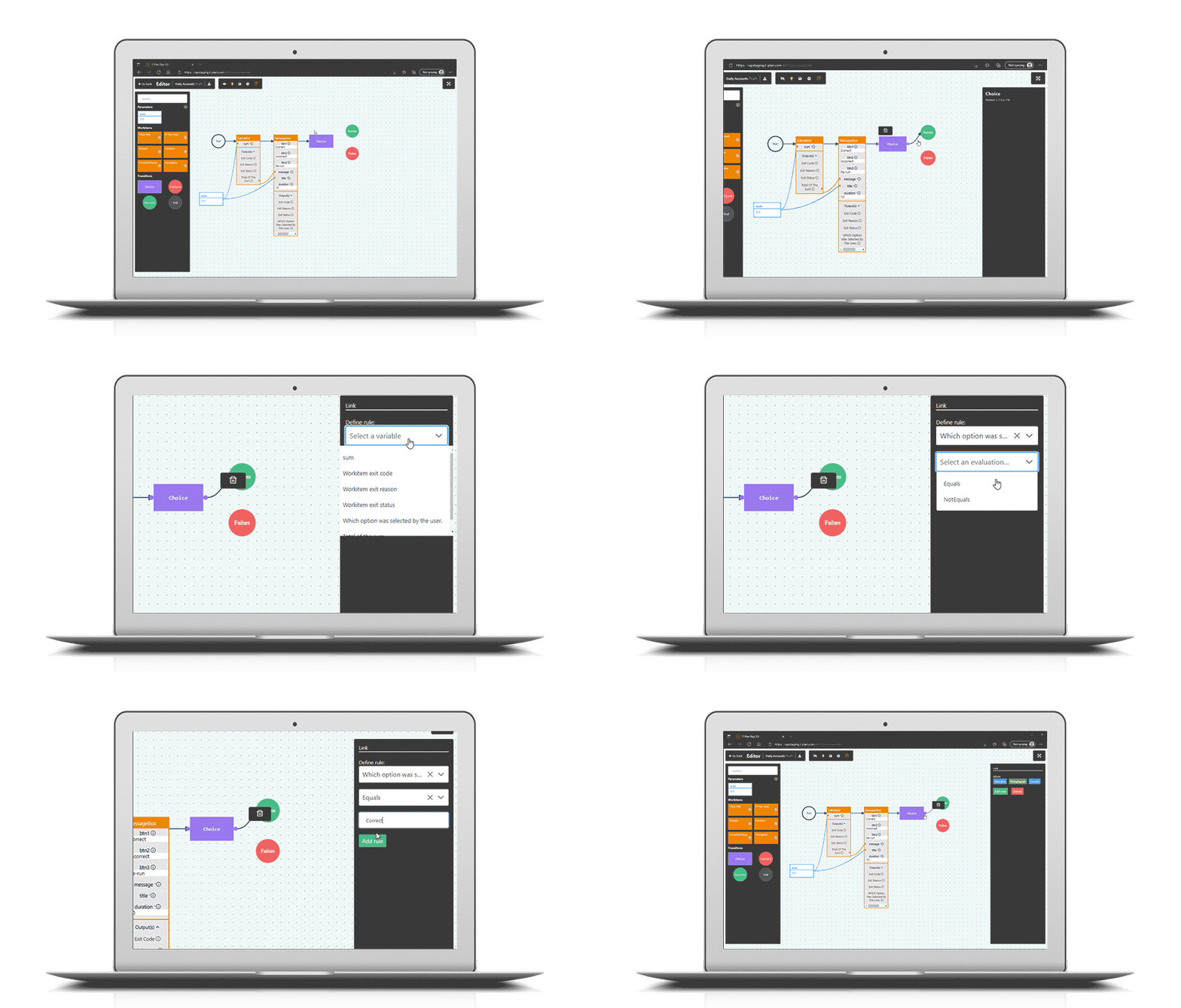
An intuitive user interface designed for both technical and non-technical users, featuring drag-and-drop functionality. No Code / Low Code.
GUI software testing tool FAQs
GUI testing validates how an application’s graphical user interface behaves from an end-user perspective, ensuring that visual elements, workflows and interactions function correctly. Functional GUI testing focuses on verifying that interface components such as buttons, menus and forms behave as intended across real user journeys.
GUI testing can be automated using GUI testing tools that interact directly with the application’s interface, replicating user actions and validating on-screen behaviour. Tools such as T-Plan perform this automation at screen level, making it possible to test web, desktop and mobile applications, including legacy or closed systems where object-level access is limited.
A GUI testing tool automates interactions with an application’s interface to validate functionality and visual behaviour. Tools such as T-Plan operate at the screen level, allowing teams to test applications exactly as users experience them, without relying on object identifiers or application hooks.
GUI testing helps ensure that software works correctly from a user’s perspective. It is especially important for complex, user-facing applications where visual accuracy, usability and consistency directly affect quality, adoption and customer satisfaction.
GUI testing is commonly used for desktop applications, web platforms, mobile apps, legacy systems and specialist software such as CAD, ERP and point-of-sale systems. It is particularly valuable where code-level access or APIs are limited or unavailable.
GUI testing focuses on validating how an application behaves visually and interactively from the user’s point of view. Functional testing checks whether features work as expected, often at a code or API level. GUI testing complements functional testing by ensuring real user workflows, layouts and interactions work correctly in production environments.
Yes, GUI testing tools are commonly used for regression testing. By re-running the same visual test scenarios after updates or changes, teams can quickly confirm that existing functionality still works as expected. Automated GUI regression testing helps reduce risk while saving time compared to manual retesting.
GUI testing tools interact directly with what is displayed on screen, rather than the application’s internal structure. This approach allows solutions like T-Plan to automate testing for legacy, proprietary and closed systems where traditional test automation tools cannot be applied.
GUI test automation reduces costs by eliminating repetitive manual testing, improving test consistency and allowing tests to run unattended, including overnight. This frees up skilled testers to focus on higher-value work while improving coverage and reliability across releases.
Key considerations include visual verification, cross-platform support, ease of use, scalability and the ability to work without modifying the system under test. T-Plan, for example, uses image-based automation to support both modern and legacy environments with minimal maintenance.
Yes. Modern GUI testing tools support automation across multiple operating systems and devices. Platforms such as T-Plan enable teams to create once and execute tests across Windows, macOS, iOS, Linux and virtualised environments for consistent, repeatable validation.
UI/UX testing evaluates how users interact with an application’s interface, focusing on usability, visual consistency and functional behaviour. UI testing ensures that interface elements such as buttons, menus and layouts work correctly, while UX testing assesses how intuitive and efficient the overall user journey feels.
UI/UX testing can be performed manually or through functional UI testing automation, where user interactions are validated automatically from a real-world perspective. Tools such as T-Plan support this approach by interacting directly with the graphical interface at screen level, allowing teams to validate functional and visual behaviour across web, desktop and mobile applications, including legacy and closed systems.
UI testing is automated by using automated UI testing tools that simulate real user interactions with an application’s interface, such as clicks, keystrokes and navigation through workflows. These tools validate both functional behaviour and visual output to ensure the application performs as expected for end users.
Automated UI testing typically involves capturing user actions, defining validation points and executing tests repeatedly across different environments. Solutions such as T-Plan operate at the screen level, enabling automation across web, desktop and mobile applications, including legacy or closed systems where code-level access or APIs may not be available.