

Testing a website on multiple devices involves validating behaviour, layout and performance across different screen sizes, browsers and operating systems. While manual testing is possible, it quickly becomes time-consuming and difficult to scale.
Automated cross device website testing allows teams to run repeatable tests across many device environments, ensuring consistent user experiences and reducing the risk of device-specific issues.
Cross-Device Testing Tools
Run automated tests for your app or website on any device, any browser and across any OS.
T-plan is the smart choice for code-free multi-device testing tools.
Why Choose T-Plan for Cross Device Testing?
Websites and applications are accessed across a wide range of devices, screen sizes and operating systems. Choosing the right cross device testing tool is essential to ensure consistent behaviour and a reliable user experience, regardless of how users access your application.
T-Plan supports multi device testing by interacting directly with the user interface at screen level, allowing teams to validate real user journeys across desktop and mobile environments.
With T-Plan, teams can:
- Run cross device website testing across desktops, laptops, tablets and mobile devices
- Reuse the same automation logic across multiple devices and environments
- Validate applications visually as they appear to end users, not at code level
- Reduce test maintenance for complex, legacy or frequently changing interfaces
- Scale cross-device testing efficiently without increasing manual effort
Why Run Automated Cross Device Website Testing?
Ensuring websites and applications behave correctly across multiple real devices is critical to delivering a reliable digital experience. However, with the sheer variety of phones, tablets, operating systems and screen sizes in use today, manual cross device website testing quickly becomes slow, repetitive and difficult to scale.
Using automated cross device testing makes it possible to validate functionality, layout and user interactions consistently across all device environments. This helps teams understand why a website may work on one device but not another, and resolve issues earlier in the delivery cycle.
Automated cross-device website testing enables teams to:
- Run repeatable tests across multiple devices in a fraction of the time
- Redirect tester effort towards higher-value exploratory and usability work
- Increase coverage using parallel or overnight execution with fewer resources
- Validate real end-user experience by driving applications exactly as they appear on screen
By automating how to test a website on multiple devices, teams gain confidence that users receive a consistent experience wherever they access the site.
Trusted by Hundreds of Companies and Used by Thousands of People for Over 25 Years




































Multi-Device Testing From T-Plan
Single script
testing
Eliminate repetitive tasks – create once and deploy a single script execution across all devices and platforms
Any browser,
any device, any OS
Run automated cross-device tests on a single platform for multi-device, cross-browser and cross-operating system testing
Increase quality
at scale
Quickly expand testing with parallel and out-of-hours tests, and improve quality with tighter controls and enhanced insights
Save on time,
speed up releases
Save on average 1 day per week per tester helping you hit the market quicker with your latest release
What Our Automated Testing Tool Users Have To Say About Us

6 hour process now takes 10 minutes. Our virtual robots have saved time, effort, money & resource.”
Any browser, any device, any OS
T-Plan is a visual automation platform for cross-device and cross-browser testing, validating real user journeys across browsers, operating systems and devices from a single tool.

Parallel test execution reduces resource overhead while enabling faster, scalable coverage across multiple testing scenarios.

Benefits of T-Plan’s cross device testing tool
Real browsers,
any device
Unlike any other tool on the market, T-Plan Robot can automate across any OS and access real browsers and devices for live automated testing
No code or
low code
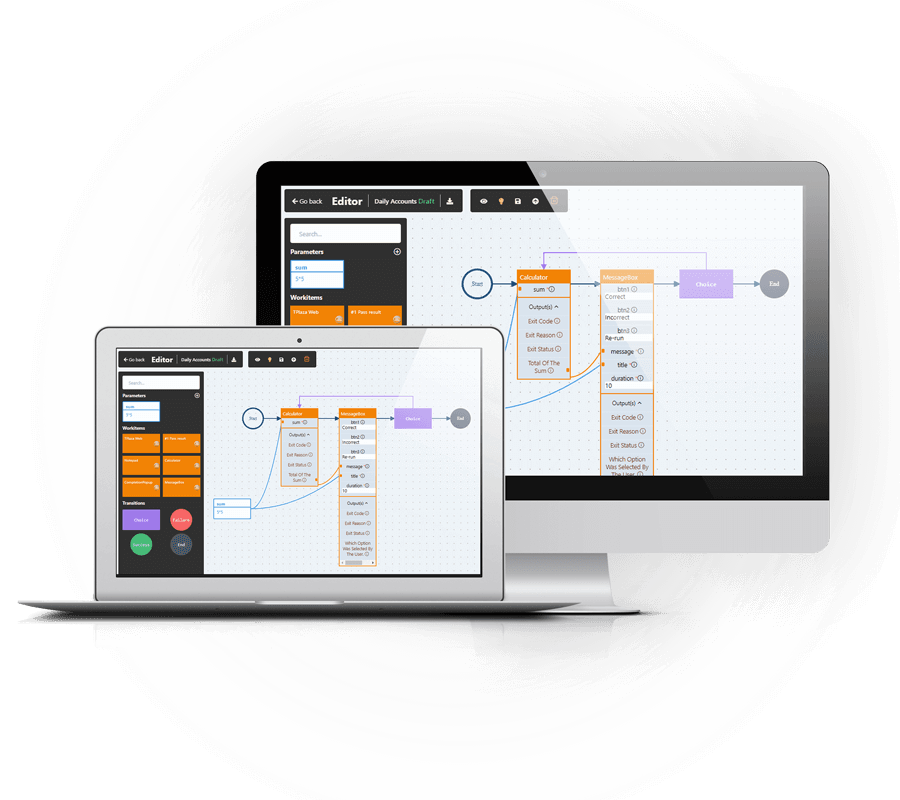
No need to type a single line of code using T-Plan’s intuitive UI supporting codeless drag & drop script development alongside our capture and playback recorder
Seamless third-party
integration
Ongoing integration development, including Jenkins Continuous Integration / Deployment support for build/test/release cycles
Positive user
experience
Consistent UI across multiple platforms and in-situ testing ensure that test teams benefit from live UI testing, seeing the interface exactly as the end-user experiences it
Automates every aspect at screen level
Working intuitively at the screen level, business analysts can help testers drive testable paths through the application.
Game, web,
app testing
Full device control allows automation of gaming interfaces, browser apps and native software, validating functionality exactly as users experience it
True native state
testing
With no instrumentation needed, applications remain in their native state, ensuring testing reflects real user interactions and behaviour accurately
External data
integration
Automation events driven by live data feeds using APIs and web requests, at any point in the cycle, and from various formats; spreadsheets, databases, PDFs, text files, etc.
Support at every stage
Extensive Training & Learning Centre
Online workshops tailored to your key objectives
Live chat
support
Frequent product updates & new feature releases
Platform Agnostic, Seamless Integration
Integration Capabilities
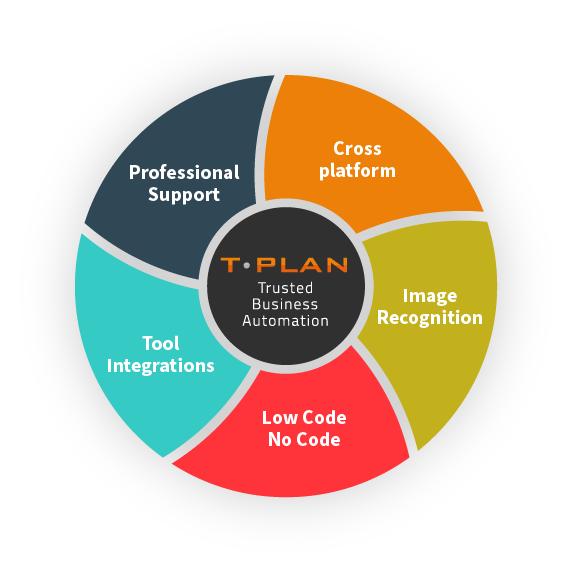
Integrates with a range of tools, including Selenium for script-less automated browser testing, and Jenkins for continuous integration, saving time & effort vs building and maintaining external testing frameworks.
Platform Agnostic
Automates GUI testing seamlessly across web and mobile platforms, supporting both Mac, Windows, and Linux environments with unified application, code, and file compatibility.
Image Recognition
Providing essential user feedback directly from the end-user’s perspective. Validated based on what is visually observed, not solely on the code’s output.
Code -Free Automation
An intuitive user interface designed for both technical and non-technical users, featuring drag-and-drop functionality. No Code / Low Code.
Get a FREE demo today
Cross Device Testing Tool FAQs
Cross device testing is the process of validating that a website or application works correctly across multiple devices, screen sizes, operating systems and browsers. It ensures that functionality, layout and user experience remain consistent whether users access your site on a desktop, tablet or mobile device.
Many teams use a combination of browser-based tools, but effective cross-browser testing increasingly requires cross device testing software that can validate real user interactions across devices and platforms.
T-Plan supports cross-browser and cross-device testing by automating the user interface at screen level, allowing teams to test across browsers, operating systems and devices using a single, visual automation approach.
Users access websites in many different ways, and even small inconsistencies can lead to broken journeys, lost conversions or poor user satisfaction. Testing across multiple devices helps identify layout issues, usability problems and functional defects before they reach production, protecting both revenue and brand reputation.
Websites can behave differently across devices due to variations in browsers, operating systems, screen resolutions, hardware performance or touch interactions. Without proper cross device testing, these differences often go unnoticed until users encounter problems. Automated testing helps uncover these issues early by validating how applications behave in real-world device environments.
Cross-browser testing focuses on validating behaviour across different browsers, while cross device testing goes further by including different devices, screen sizes and operating systems. Together, they ensure a consistent and reliable experience for all users, regardless of how they access your website or application.