
In every QA tester’s workflow process, visually testing the user experience is fundamental to ensuring the accuracy of the user journey. The process of manually verifying each visual aspect of an application can be time-consuming and prone to human error. However, with the power of AI, this process has been significantly streamlined with T-Plan’s software—integrating Google AI image analysis to automate image detection and verification.
The Power of AI in Image Detection
Google AI image analysis software is probably one of the most impressive uses of AI that we’ve seen as the technology has really taken off—leveraging deep learning algorithms to accurately identify and interpret visual content. This capability can be harnessed in various domains, including software testing, to ensure that visual elements are rendered correctly across different platforms and devices.
Real-World Example: CAPTCHA Reading
Google AI image analysis has crept into everyday life without you probably being aware that you’re using it.
Let’s consider an example where it’s most commonly used — CAPTCHA reading. CAPTCHAs are used widely across the internet to distinguish human users from bots. They often consist of a grid of photos where you have to correctly identify the item, that is challenging for automated systems to interpret. However, with Google AI’s advanced image analysis, even these tricky visual elements can be accurately recognised.
How Integrating Google AI with T-Plan resolves this.
T-Plan integrates Google AI image analysis into its software to enhance image verification capabilities. This integration allows T-Plan to automatically detect and verify visual elements with remarkable precision. The following example demonstrates how this works in practice.
Example: Automating CAPTCHA Verification
Imagine you are developing a web application that requires users to solve a CAPTCHA for security purposes. Manually testing the accuracy and functionality of these CAPTCHAs can be tedious. T-Plan’s software, powered by Google AI, can automate this process.
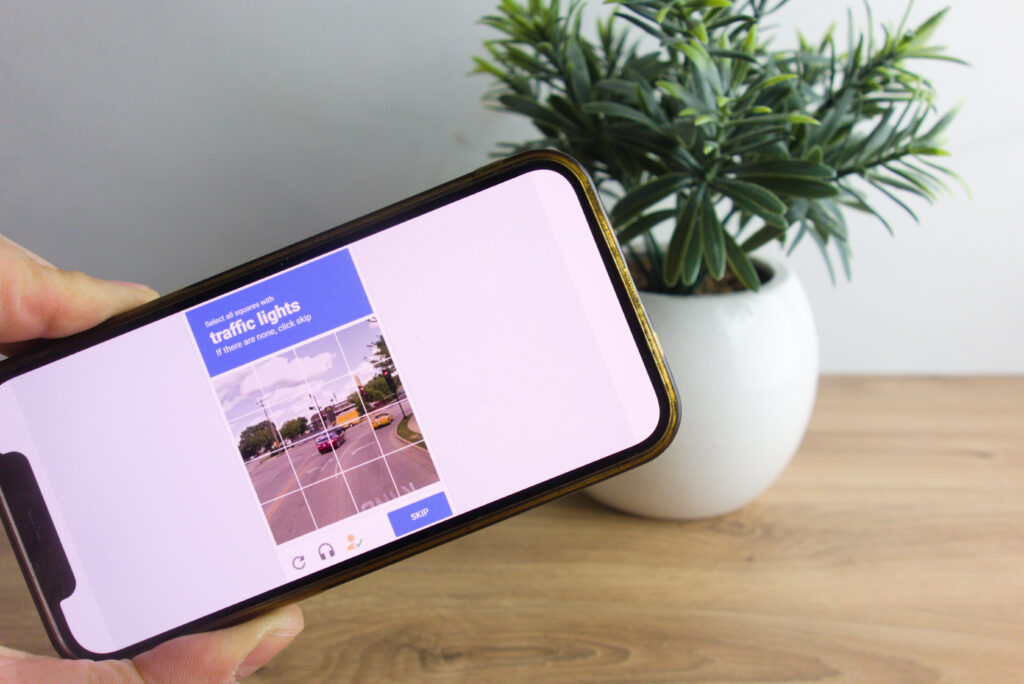
- Capture and Analyse: T-Plan captures the CAPTCHA image displayed on the web application.
- AI Interpretation: The captured image is analysed using Google AI’s image recognition capabilities. The AI interprets the distorted text and deciphers the characters.
- Validation: The interpreted text is then validated against the expected result to ensure that the CAPTCHA is functioning correctly.
This automated process not only saves time but also ensures a higher degree of accuracy in testing. Eliminating the need for manual verification, freeing up testers to focus on more critical aspects of the software.
Conclusion:
Incorporating AI-powered image detection and content reading into your software testing strategy can dramatically improve both the efficiency and accuracy of your testing process. T-Plan’s integration with Google AI image analysis offers powerful automation capabilities that streamline visual validation and content verification tasks.
By leveraging T-Plan, you can save time and resources while ensuring a higher quality user experience. In the competitive world of software development, delivering a flawless user experience can make all the difference. Find out more about how T-Plan is pioneering new ways of automating Visual UI Testing here.
And for more information on how T-Plan can revolutionise your workflow, visit our website or contact us.